
Getting started
How to Play Azeroth Survivors
Choose a class, enter Elwynn Forest and move to begin. Your attacks cast automatically. Focus on staying out of danger, collecting experience and choosing upgrades when you level up.
Start through Aethus's original game or its Windows download. The steps here describe the original game shown in the linked recordings.
Controls to know first
| Input | Action in the recorded original build | What to watch for |
|---|---|---|
| W, A, S, D | Move | Your position determines whether enemies can surround you |
| Both mouse buttons | Run using the mouse | The original menu lists this alongside WASD |
| 1, 2 or 3 | Select a level-up card | Read the displayed change before choosing |
| Click a card | Select that offer | The same choice can be made with the mouse |
| R | Reroll the current offers | Check the remaining rerolls or displayed gold cost |
| Enter | Start from the character menu | Confirm the selected class and zone first |
These controls are visible in the original menu and card footage. For other bindings, use the hints in your current game. The reconstruction's separate controls document is not proof of a binding in the original.
Follow the menu and progression walkthrough
Ghost Gaming Insider's original walkthrough shows the class menu, talent page and Armory. Use the text below as a checklist rather than trying to copy every choice in the video.
What resets — 00:48 · Class menu and talents — 01:24 · Armory collection — 02:20
Chapter illustration from the same recording. Clicking play connects to YouTube. Watch on YouTube ↗
1. Choose a class and read its spell pool
The class menu previews the abilities that can appear in that class's run. Choose a class you want to learn, then look at its starting attack and available spells.
Enter a name if you want one. Use the Armory for race and appearance choices. Before entering the zone, check its boss panel and the current run options.
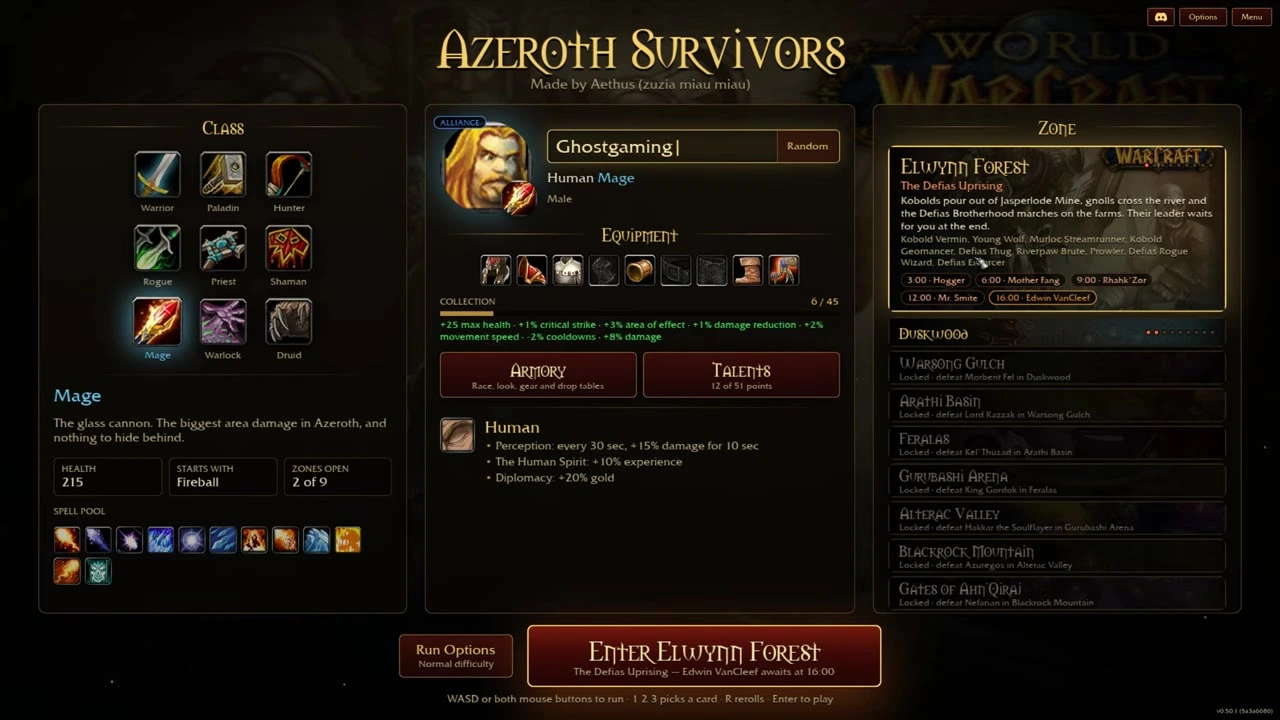
Check your class and zone before entering. The recorded original menu shows a 16:00 Elwynn finale; use the schedule in your current build. Source: Ghost Gaming Insider — 00:13
A later recording shows nine Classic classes in the menu, but it is more useful to learn one class's offers than to switch every time a run ends. The build examples offer concrete Mage, Priest and Paladin starting directions.
2. Move to begin and leave yourself an escape route
Enemies spawn around the playable area and your character attacks without a manual rotation. Move through open space and avoid closing your own route back out.
Collect experience when you can reach it without taking a dangerous path through the crowd. Gold and other pickups also matter, but recovering one drop is not worth ending the run.
The arena has a boundary. If it pushes you back, turn into the playable area rather than trying to run across the whole Warcraft zone. Noobheal HQ shows the boundary and nearby elites at 02:55.
3. Choose a useful card at each level
A level-up presents three offers. An offer can add a spell or improve something already in your setup. The recorded original builds allow a maximum of six different spells.
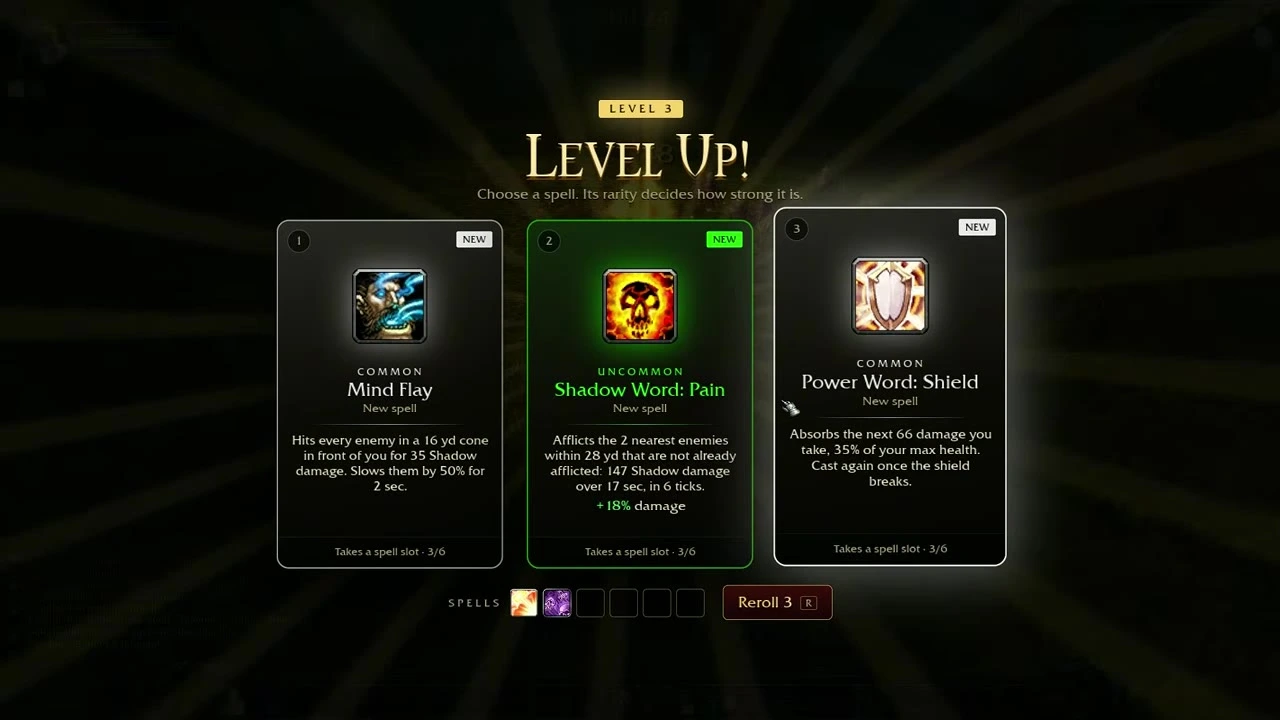
Compare the effect with the problem in your run. This recorded Priest offer shows damage, a slow and an absorption option. Source: Noobheal HQ — 02:12
Use this order when comparing offers:
- What is putting the run at risk? A crowd closing in suggests a need for clearing or control; a boss taking too long suggests a need for focused damage.
- Does this offer fix that problem? Read its named effect and the specific change.
- What does it cost your setup? A new spell uses a slot; improving an existing spell keeps the same core plan.
- Is a reroll worthwhile? Check its cost before using it. The recordings show both free rerolls and later gold prices.
Rarity affects an offer's strength, but a rarer card is not automatically the right answer for the current build.
4. Use gold for caches
Caches offer additional run upgrades, including jewelry. Check the displayed price before trying to open one.
Jewelry gained during a run is different from permanent boss equipment. Do not assume that an item will carry over just because it uses a familiar Warcraft name. The original footage distinguishes two ring slots, two trinket slots and a neck slot for temporary jewelry.
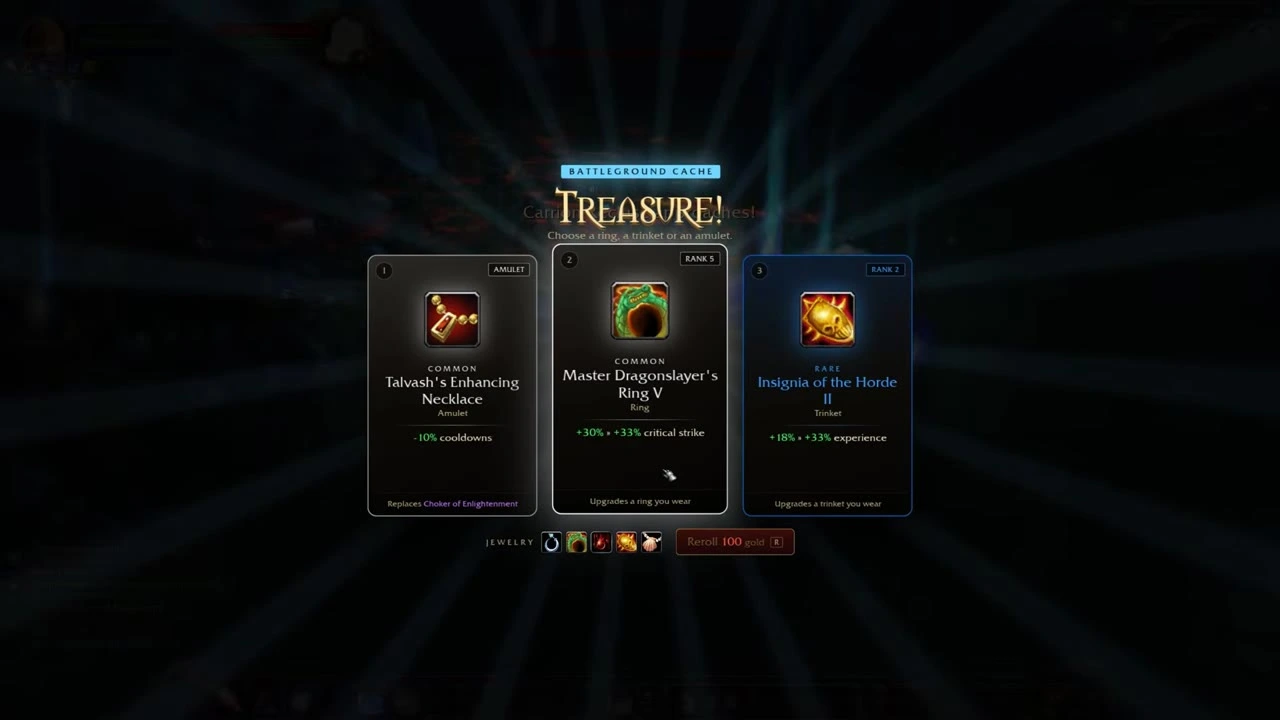
Caches offer run jewelry. Read whether a card replaces an item or upgrades one you already wear. Source: Ghost Gaming Insider — 04:35
5. Approach elites when the build can handle them
The overview footage shows tougher guardians around the playable area. They can reward another upgrade, but taking one on too early can end a run.
Build a working damage setup and leave space to move before committing. This is a reason to delay a risky fight, rather than proof that a guardian becomes safe at a particular level.
6. Follow the boss schedule on your zone panel
Bosses appear during the run, and defeating the zone's final boss completes that stage. In the Elwynn recordings, the finale is Edwin VanCleef, and a successful clear opens Duskwood for the class being played.
Read the panel in your current build. The linked videos span schedules with a 20-minute finale and later schedules with a 16-minute finale. The later menu visibly lists 16:00.
After a victory, the recorded game offers another run, another hero or continued fighting. Endless play continues the current challenge; it is not necessary to select it merely to complete the zone.
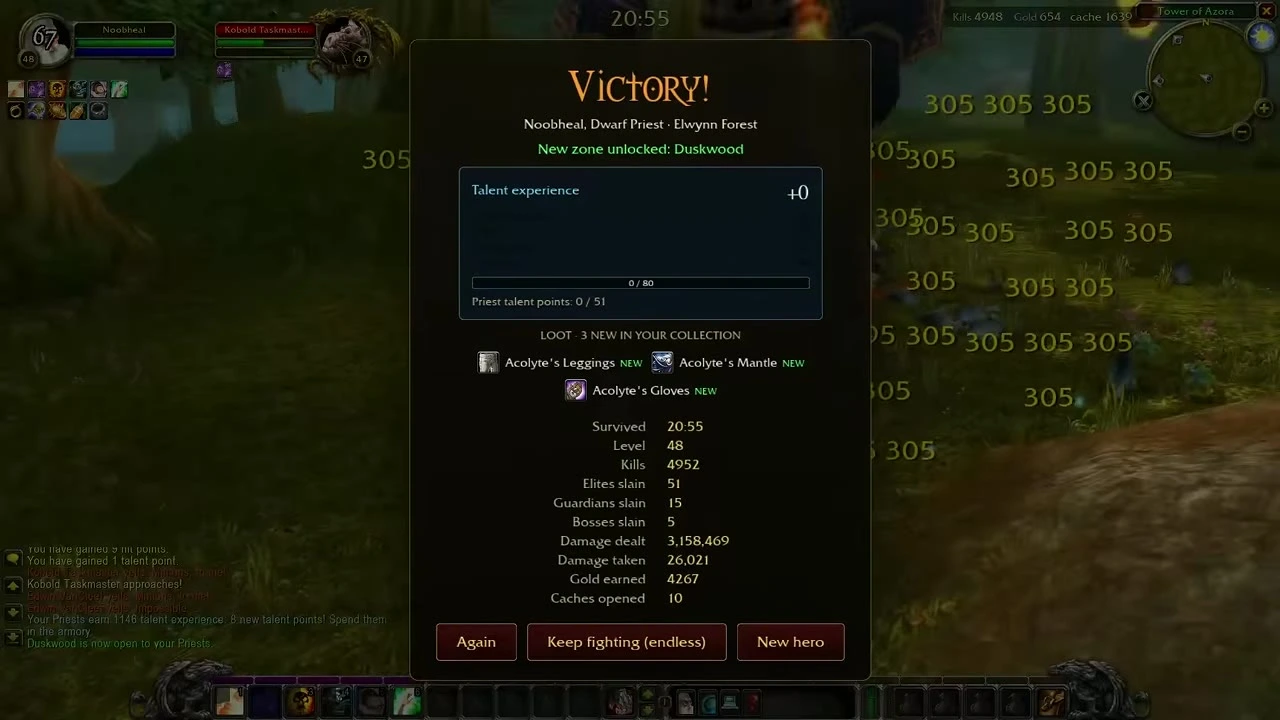
A clear can advance your class and add permanent equipment. This earlier recording shows a run lasting beyond 20 minutes. Source: Noobheal HQ — 04:44
7. Spend time on the permanent progression after a run
| Check | What it does | How to confirm it |
|---|---|---|
| Talent page | Uses your class's persistent talent progression | Review available points and the chosen node |
| Armory collection | Holds permanent equipment obtained from bosses | Check the relevant slot and equip an owned piece |
| Zone list | Shows progression for the selected class | Read the next zone's lock or unlock condition |
Your run's level, spell choices and temporary jewelry reset. Persistent equipment and class talents are a separate layer. Changing to a fresh class can therefore put you back at an earlier stage.
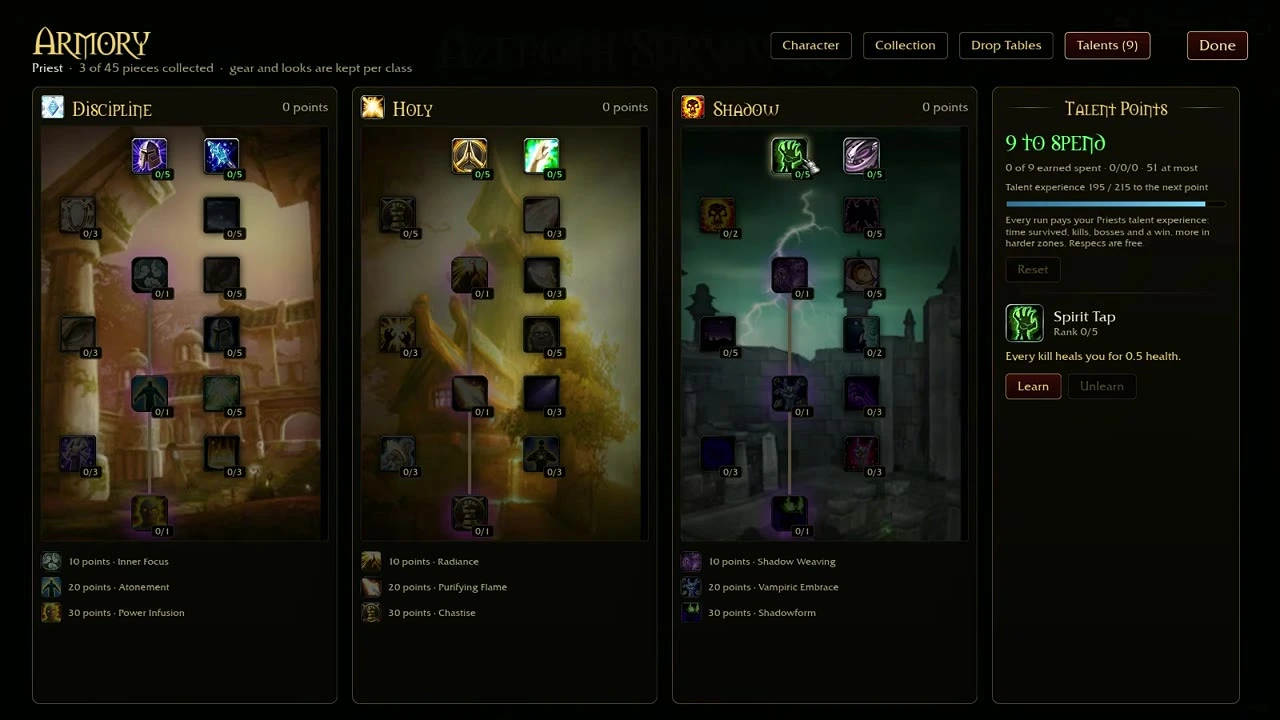
Talents are a separate progression layer from the spells chosen during a run. Source: Noobheal HQ — 05:20
If the menu never opens, return to loading troubleshooting. Once the basic loop makes sense, use the builds guide to plan your next set of choices.